
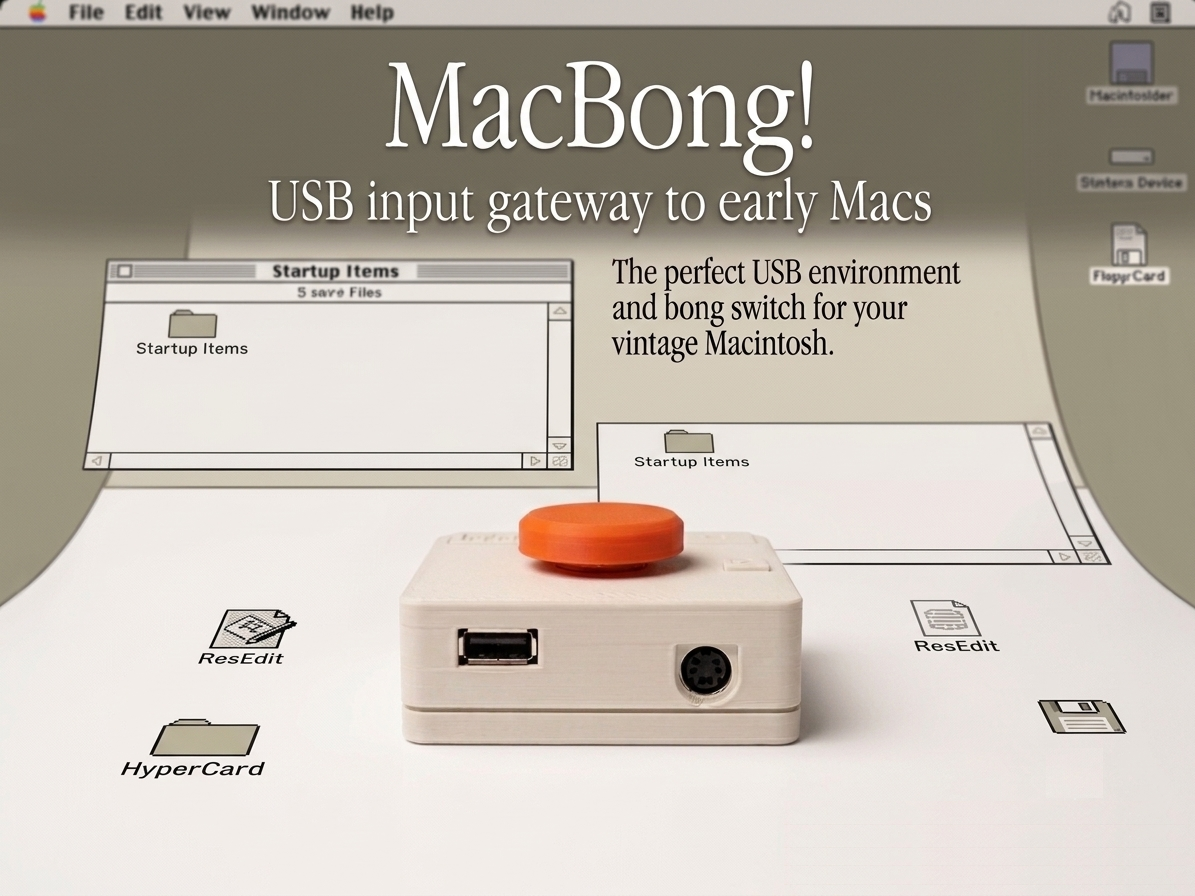

MacBong! is a multi-protocol hardware adapter that lets you use a single modern USB keyboard and mouse across all eras of Macintosh systems. Here is a blog detailing the early stages of development. Options For cables other than the DB9 Mouse Cable, you can use the genuine ones as they are.
DB9 Mouse Cable (Straight-Through Pinout) — 50cm / $9 USD For early Mac mouse ports. Note: Standard Mac mice connect directly, but connecting the MacBong, it must be a Male-to-Male straight-through DB9 cable(The meaning is direct, not cross).
RJ11 4-Pin Keyboard Coil Cable (Straight-Through Pinout) — 200cm max / 50cm coiled / $8 USD For early Mac keyboard ports. Note: Standard telephone cables utilize a crossover pinout and will NOT work. A dedicated straight-through cable is mandatory. If you want a "Gray" cable just like the Apple genuine, you can purchase this NOS Cable.
ADB Cable — $8 USD Fully compatible with standard S-Video cables. However, because high current can pull through this line, a high-quality, thick-gauge shielded cable is highly recommended.
Wireless Mini Keypad (Verified )— $12 USD Pre-tested and verified to contain the correct, compatible wireless chipset. Non-applicable keys for vintage Mac OS are unmapped. You can probably find keypads like this just about anywhere, but it's a 50/50 chance whether or not a given one will be compatible. We explained this on our blog. Note: These affordable components can occasionally exhibit minor bugs, such as unexpected phantom mouse clicks. While not fatal to operation, this is an unfixable firmware quirk inherent to the component and is excluded from warranty claims.
Technical Specifications & Interfaces
Front Panel (Inputs)
USB-A Port: For connecting your USB keyboard/mouse.
Note on USB Hubs: Support varies depending on the keyboard controller. The built-in hub on the Apple Pro Keyboard works perfectly. For generic USB hubs (e.g., those using the FE1.1s controller chip) paired with Windows peripherals, compatibility varies.
ADB Passthrough: Passes through the ADB signal directly from the rear panel.
USB Mini-B Port (+5V Auxiliary Power): Vintage Macs often output ADB voltages slightly below nominal specs. While modern USB peripherals can operate on lower voltages, older or power-hungry devices require a strict +5V. If your connected USB devices fail to initialize due to insufficient amperage, connect an external 5V power supply via this port.
Rear Panel (Outputs)
RJ11 (4-Pin): For connecting to early Mac keyboard ports (128K/512K/Plus). Compatible with official Apple straight-through cables.
DB9: For connecting to early Mac mouse ports. Compatible with standard straight-through DB9 male-to-male cables.
ADB: For 68K through early PowerPC G3 systems.
Dedicated Hardware Buttons
Main "Bong" Switch: Triggers the Macintosh soft-power boot sequence.
R-key Switch (ROM Disk Boot): Due to standard USB-to-ADB initialization latency, generic keyboards often miss the critical timing window required for ROM booting. This dedicated hardware button bypasses that lag to ensure reliable ROM disk boot synchronization.
Side Switch (Reset): Resets the MacBong! internal microcontroller and forces a re-enumeration/re-connection of the USB keyboard and mouse. *If the connected keyboard or mouse does not work, unplug and reconnect the cable connector, then press the reset switch.
Compatibility Details
Host Side (Output)
All Macintosh systems utilizing standard ADB ports.
Early-generation Macintosh systems utilizing DB9 mouse and RJ11 keyboard ports.
Peripheral Side (Input)
USB Keyboards & Mice: Compatibility depends on the embedded USB host HID libraries. For example, Apple G4 and G5 era USB keyboards generally work flawlessly, whereas early G3 USB keyboards (bundled with iMac Rev. A through C) are unsupported. *Please note that depending on the combination, they may not function correctly.
Windows Peripherals: Due to the massive variety of Windows-compatible USB controllers, compatibility cannot be guaranteed across all brands. It is recommended to test with your existing spare key board and mouse.
Mini Wireless Keypads: Many 2.4GHz mini wireless keypads are supported (Note: Mapping-wise, the "Win" key functions as the Mac Command "⌘" key). All the details are explained above.
Serviceability & Hardware Design
MacBong! is explicitly engineered with long-term repairability in mind. Rather than an unserviceable, highly integrated single-board design, it utilizes a modular approach. The microcontroller, the +5V regulator unit, and the USB Host Shield are all independent daughterboards (add-on PCBs).
If a component fails—such as the notoriously sensitive USB Host Shield chip, which can be easily damaged by volatile USB loads or hot-plugging issues—you don't need to throw the device away. The USB Host Shield is socketed and uses a highly accessible, generic Mini USB Host Shield 2.0 form factor that can be sourced easily online and swapped out by the user in minutes.
Distribution, Stream, & Licensing
Availability: Currently sold exclusively as a fully assembled unit. A DIY kit version is planned for future release once production matures.
Build Archive: A special thank you to Bruce Rayne (Branchus Creations) for hosting a live-stream assembly and review of the hardware on YouTube.
Licensing: MacBong! is a closed-source project utilizing proprietary firmware. Unauthorized replication, redistribution, or derivation of the hardware design and source code is strictly prohibited.
Special Thanks: Wing Yeung (MFA2 Workshop) for his invaluable firmware and programming contributions.
